


Common Problems of Wireless Remote Controls in Cranes and How to Fix Them
Release time: 2026-07-27
Table of Contents
Wichtigste Erkenntnisse:
- Industrial radio remote controls are critical for the safety and efficiency of overhead crane operations, but they are susceptible to environmental, electrical, and mechanical wear.
- The most frequent issues involve radio frequency (RF) interference, power supply degradation, and mechanical component failure.
- Implementing a structured diagnostic process reduces unplanned downtime and prevents catastrophic safety failures.
- Upgrading to systems with automatic frequency hopping and PL-d/SIL 2 safety ratings can permanently resolve legacy equipment vulnerabilities.
Introduction to Industrial Crane Remote Controls
In modern industrial environments, the transition from tethered pendant controls to wireless radio remote controls has revolutionized material handling. By untethering the operator from the hoist, facilities have drastically improved line-of-sight visibility, eliminated dangerous tripping hazards, and distanced personnel from heavy, suspended loads.
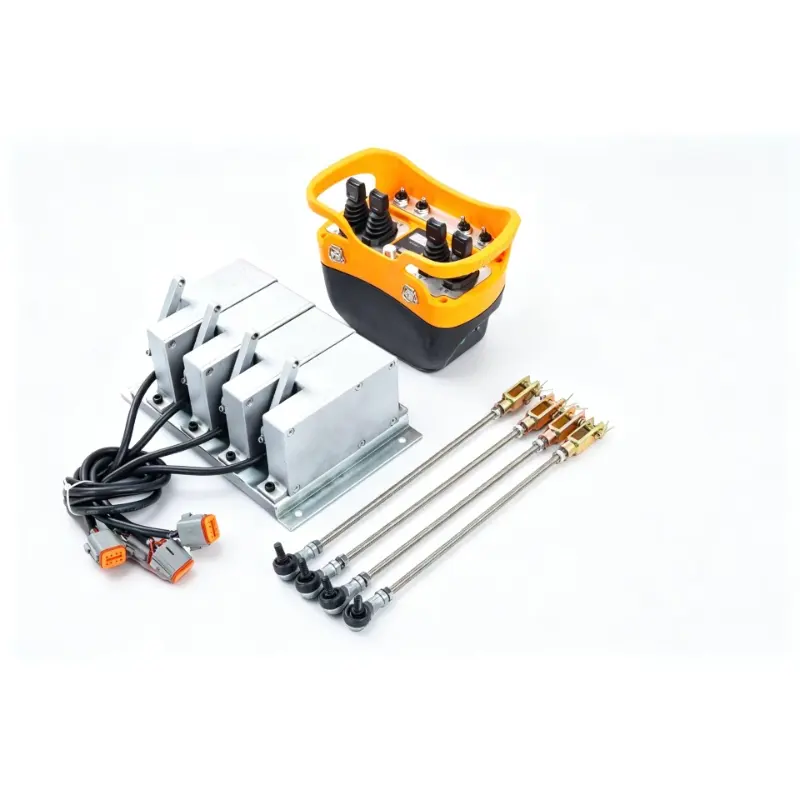
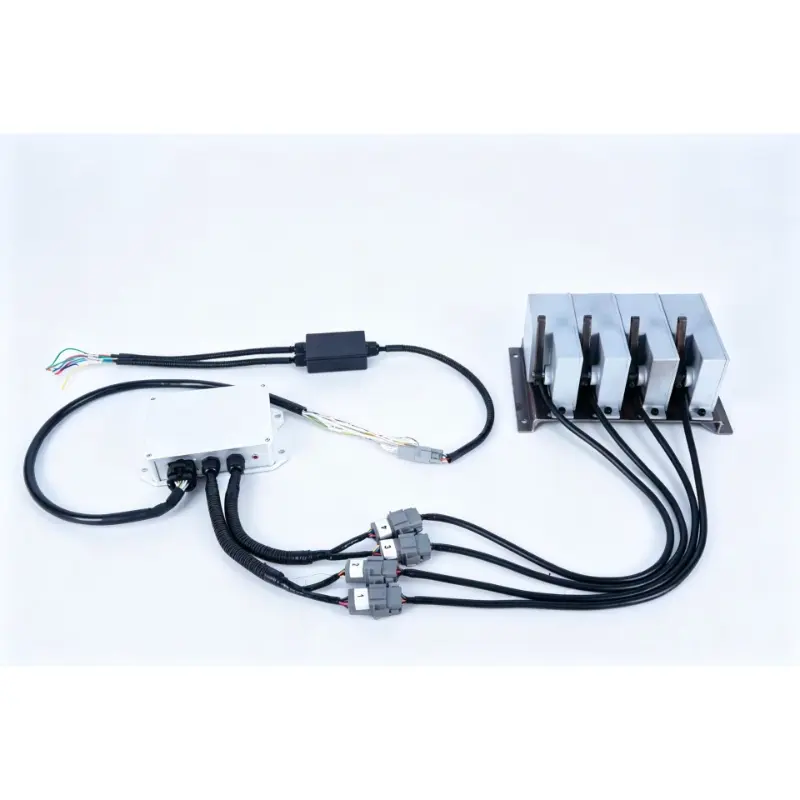
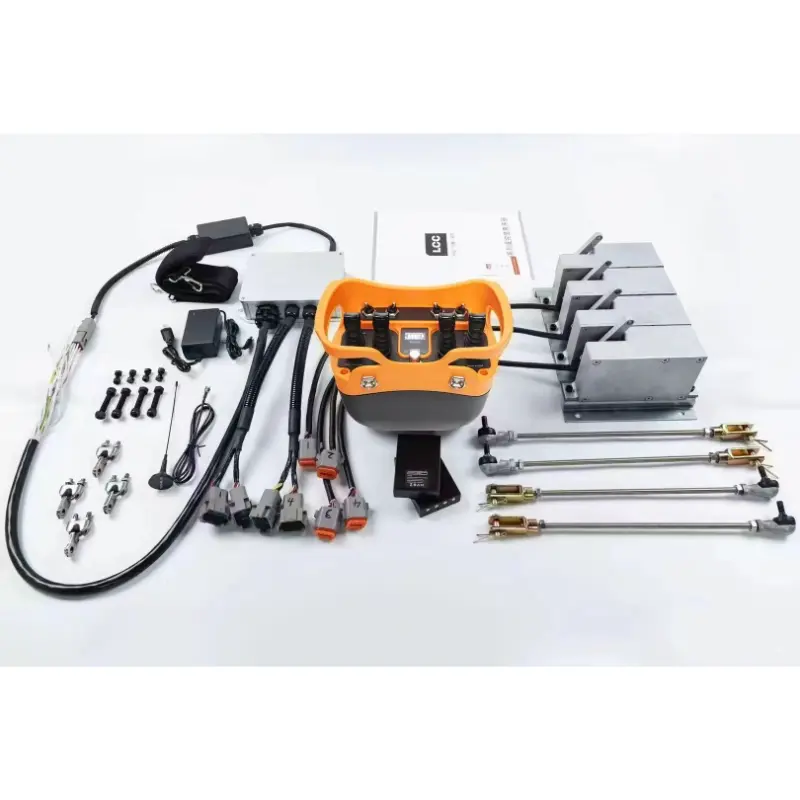
However, these sophisticated electronic devices operate in some of the harshest conditions imaginable. Airborne dust, extreme temperature fluctuations, heavy vibrations, and electromagnetic noise all conspire to degrade equipment over time. When a radio controller fails, it doesn’t just cause a minor inconvenience; it stops production lines, delays shipping schedules, and incurs massive costs in unplanned downtime.
To keep your facility running smoothly, executing proper crane remote control troubleshooting is essential to minimize downtime. In this comprehensive guide, we will explore the most frequent wireless remote control problems and provide actionable, step-by-step solutions to restore your heavy machinery to optimal working condition.
The True Cost of Remote Control Failures
Before diving into the technical diagnostics, it is crucial to understand why rapid resolution is so important in B2B and industrial operations.
- Unplanned Downtime: Studies show that equipment downtime in manufacturing can cost thousands of dollars per minute. A functional gantry crane is often the bottleneck of a facility; if the crane cannot move, the product cannot ship.
- Safety Hazards: A malfunctioning remote—especially one with compromised emergency stop (E-stop) integrity or sticking joystick valves—can lead to dropped loads, structural collisions, or fatal crushing accidents.
- Operator Frustration: Intermittent signal drops or unresponsive buttons lead to operator fatigue and dangerous “workarounds” that violate standard operating procedures (SOPs).
By proactively understanding these drahtlose Fernbedienung problems ensures a safer work environment and protects your company’s bottom line.
Top 5 Issues Plaguing Wireless Crane Remotes
When an overhead crane fails to respond to operator inputs, the root cause almost always falls into one of five distinct categories.
1. Radio Frequency (RF) Interference and Signal Loss
Industrial facilities are incredibly noisy environments—not just acoustically, but electromagnetically. Overhead cranes operate in areas surrounded by Variable Frequency Drives (VFDs), large electric motors, welding equipment, and vast arrays of Wi-Fi routers.
The Symptoms:
- The crane responds intermittently.
- Commands are delayed (latency).
- The crane stops moving when the operator walks behind a metal structure or exceeds a certain distance.
The Causes:
- Electromagnetic Interference (EMI): Nearby equipment emitting signals on the same frequency band (typically 433 MHz, 868 MHz, or 2.4 GHz).
- Multipath Interference: Radio waves bouncing off metal walls and racking, causing the receiver to receive delayed, overlapping signals that it cannot decode.
- Antenna Damage: A cracked, bent, or internally disconnected antenna on either the handheld transmitter or the bridge-mounted receiver.
The Fix: First, visually inspect the receiver’s external antenna. It should be mounted vertically, clear of metal enclosures, and free of physical damage. If the physical hardware is intact, attempt to change the frequency channel. Modern industrial remotes feature FHSS (Frequency Hopping Spread Spectrum) technology, which automatically scans for and switches to clear channels. If your legacy system lacks this, you may need to manually switch the operating channel via the internal dip switches or pairing software.
2. Power Supply and Battery Degradation
It sounds simple, but a massive percentage of service calls are resolved by addressing the power source. Industrial transmitters require a highly stable voltage to push a strong RF signal through a dense factory environment.
The Symptoms:
- The remote works only at a very close range.
- The LED status indicator flashes red or fails to illuminate.
- The transmitter shuts down randomly during a lift.
The Causes:
- Voltage Drop: As batteries deplete, the transmitter’s RF output power decreases proportionally. A battery that shows “full” on a basic tester might suffer massive voltage drops under the load of transmitting.
- Contact Oxidation: The metal springs and contacts inside the battery housing can oxidize due to humidity or chemical exposure, creating electrical resistance.
- Receiver Power Faults: On the crane side, the receiver may have a blown AC/DC fuse or suffer from voltage spikes coming from the main crane power supply.
The Fix: Always begin by swapping the transmitter batteries with a brand-new, high-quality set (or a fully charged proprietary battery pack). Use a dry cloth or electrical contact cleaner to remove any dark oxidation from the battery terminals. On the receiver side, use a multimeter to verify that the input voltage matches the receiver’s requirements (e.g., 24VDC, 110VAC, or 220VAC) and check all internal glass fuses.
3. Mechanical Wear and Physical Damage
The tactile components of a handheld transmitter—pushbuttons, toggle switches, and joysticks—are subjected to thousands of actuations per shift, often by operators wearing heavy, soiled gloves.
The Symptoms:
- A specific function (e.g., “Hoist Up”) does not work, while all others do.
- A button feels “mushy” or fails to spring back into its neutral position.
- The crane continues to move for a split second after the button is released.
The Causes:
- Micro-switch Failure: The internal copper contacts of the micro-switches degrade or carbonize from electrical arcing over time.
- Dust and Moisture Ingress: Even IP65-rated enclosures can be compromised if the rubber button boots tear. Once metallic dust or moisture enters the Printed Circuit Board (PCB), it causes short circuits.
- Joystick Spring Failure: The centering springs inside proportional joysticks can snap, preventing the controller from returning to a true zero-state.
The Fix: Do not attempt to spray lubricants (like WD-40) into the button housing, as this will destroy the PCB. If a button is sticking, inspect the external rubber boot. If torn, the entire button assembly or the underlying micro-switch must be replaced by a qualified technician. If the remote uses proportional joysticks, check the deadband settings; if mechanical centering has failed, the joystick module must be swapped.
4. Software Desynchronization and Pairing Faults
The transmitter and receiver must share identical cryptographic pairing codes (often called S/N codes or CH channels) to communicate securely. If they lose sync, the system will initiate a safety lockout.
The Symptoms:
- The transmitter powers on and shows a healthy green LED, but the receiver emits no click and the crane remains completely dead.
- The system fails to start after an Emergency Stop was triggered.
The Causes:
- EEPROM Corruption: A severe power surge on the crane can corrupt the receiver’s memory, causing it to “forget” the transmitter’s ID.
- Improper Spare Remote Usage: Bringing a backup remote into the area without properly locking out the primary remote can confuse the receiver.
- E-Stop Latching: The safety relays inside the receiver have latched open and require a specific sequence to reset.
The Fix: First, ensure the emergency stop mushroom button on the transmitter is pulled out or twisted to the unlocked position. Press the “Start” or “Horn” button to wake the system. If the receiver remains unresponsive, consult your manufacturer’s manual to perform a factory reset and re-pairing sequence. This often involves transferring a magnetic “e-key” or USB dongle from the old remote to the new one to port over the unique identification codes.
5. Receiver Relay and Wiring Harness Failures
The receiver unit mounted on the crane bridge acts as the brain, translating wireless signals into high-voltage electrical currents that drive the crane’s motors.
The Symptoms:
- You can hear the receiver “clicking” when you press a button, but the crane motor does not engage.
- The entire crane system loses power intermittently.
The Causes:
- Burnt Relay Contacts: The internal output relays have a lifespan. Switching heavy inductive loads eventually burns out the relay contacts.
- Vibration Damage: Constant movement of the crane can loosen the terminal block screws, causing wires to arc or disconnect completely.
- Cable Sheath Degradation: The wiring harness connecting the receiver to the main crane control panel may become brittle and crack, leading to short circuits.
The Fix: This requires a licensed industrial electrician. Open the receiver enclosure (ensuring main power is locked out/tagged out). Perform a continuity test on the suspected relay. If the relay is welded shut or burnt open, the receiver board (or the individual relay, if modular) must be replaced. Check and retighten all terminal connections.
Quick Diagnostic Reference Guide
To streamline your maintenance efforts, use this diagnostic matrix. It categorizes common symptoms and provides immediate action steps to isolate the fault.
| Field Symptom | Primary Suspect / Cause | Immediate Diagnostic Action | Recommended Resolution |
|---|---|---|---|
| Transmitter LED dead; no response. | Dead battery or reversed polarity. | Check battery orientation; test voltage with multimeter. | Replace batteries; clean terminal contacts. |
| Works at 10 feet, fails at 50 feet. | Antenna damage / Voltage drop. | Inspect receiver antenna for cracks; test line-of-sight. | Replace antenna; install fresh high-output batteries. |
| One specific motion (e.g., Left) fails. | Faulty button / burnt receiver relay. | Listen for a “click” at the receiver when pressing the button. | If clicking: check wiring/motor. If no click: replace button switch. |
| Crane moves erratically or lags. | RF Interference (EMI/Multipath). | Turn off nearby wireless equipment/VFDs to test. | Change operating frequency channel; upgrade to FHSS system. |
| Transmitter shows red LED on startup. | E-Stop engaged / stuck button. | Check E-Stop status; check if any button is physically jammed. | Release E-Stop; clean button housings with compressed air. |
Establishing a Systematic Diagnostic Framework
Jumping to conclusions often results in replacing expensive parts unnecessarily. When executing crane remote control troubleshooting in a busy facility, follow this sequential framework:
Step 1: The Operator Audit
Before touching the hardware, talk to the crane operator. Ask exactly when the problem started. Does it only happen in a specific corner of the warehouse? (Points to interference or dead zones). Did the remote get dropped? (Points to physical damage or cracked quartz crystals).
Step 2: The Power Isolation Test
Never assume a battery is good just because it is new. Use a multimeter. Furthermore, go to the crane’s main electrical panel and verify that the step-down transformer is providing clean power to the receiver. A fluctuating power supply will cause the receiver’s microprocessor to constantly reboot, mimicking a signal loss issue.
Step 3: Transmitter vs. Receiver Isolation
If you have a spare, paired transmitter, power down the primary one and test the spare.
- If the spare works perfectly, your primary transmitter is the issue.
- If the spare exhibits the exact same failure, the problem is localized to the receiver, the antenna, the wiring harness, or the crane’s electrical contactors.
Step 4: Environmental Assessment
If the system works perfectly on weekends but fails on Tuesday afternoons, you have an environmental interference problem. Look for new machinery, newly installed Wi-Fi networks, or external RF sources (like a nearby construction site using similar 433MHz radios).
Preventative Maintenance and Modern Safety Upgrades
The best way to fix a broken remote is to prevent it from breaking in the first place. Industrial maintenance teams should implement a strict care schedule:
- Daily: Operators must inspect the remote for torn rubber boots, cracked casings, and damaged lanyards. The remote should be stored in a dedicated wall bracket, not left on vibrating machinery or metal workbenches.
- Monthly: Maintenance personnel should open the battery compartment to check for moisture or corrosion. The receiver antenna on the crane should be wiped clean of industrial grease and dust.
- Annually: Check the tightness of all wiring terminals inside the receiver box, as crane vibrations will loosen them over time.
Knowing When to Upgrade
If you are constantly repairing a system that is over 7 to 10 years old, it is time to consider an upgrade. Modern industrial remote controls offer significant advantages that eliminate legacy issues:
- Proportional Control Valves: Unlike harsh on/off binary switches, proportional joysticks allow for micro-millimeter precision, reducing violent load swings and mechanical stress on the crane.
- Functional Safety Standards (PL-d / SIL 2): Modern systems feature redundant, self-monitoring microprocessors. If a single relay welds shut or communication is lost, the system instantly detects the anomaly and forces the crane into a safe, stopped state before the operator even realizes there is an issue.
- Telemetry and LCD Screens: Newer transmitters feature built-in screens that provide real-time feedback on load weight, battery life, and error codes, taking the guesswork out of diagnostics.
Abschluss
Industrial material handling relies heavily on the seamless communication between human operators and heavy machinery. While electronic components are bound to experience wear and tear, understanding how to swiftly identify RF interference, battery voltage drops, mechanical failures, and receiver faults will save your operation countless hours of lost productivity.
By implementing a strict preventative maintenance schedule, training your operators on proper handling, and knowing when to consult a professional electrician, you can dramatically extend the lifespan of your equipment—preventing these drahtlose Fernbedienung problems from recurring and ensuring your facility operates at peak safety and efficiency.
Häufig gestellte Fragen
1. How do I determine if the fault is in the handheld transmitter or the receiver on the crane?
The fastest diagnostic method is to check the LED status lights on both units. When you press a button, the transmitter should display a solid or flashing green light. Concurrently, you should hear a distinct physical “click” from the receiver unit (indicating the relay is closing) and see its corresponding LED illuminate. If the transmitter lights up but the receiver does nothing, the issue is likely signal interference, a desynchronization, or a lack of power to the receiver.
2. Why does my overhead crane remote only work when I am standing directly underneath it?
A severely diminished operational range is almost always caused by a power or antenna issue. First, replace the transmitter batteries, as low voltage directly weakens the RF signal output. If the issue persists, inspect the receiver antenna mounted on the crane. If the antenna is broken, bent, or positioned inside a metal enclosure (which blocks radio waves), the signal will be drastically bottlenecked.
3. Is it safe to use a generic, off-the-shelf universal remote for my industrial crane?
Absolutely not. Overhead cranes are highly dangerous pieces of equipment that require specialized safety protocols. Industrial-grade remote controls are built with compliance to functional safety standards (such as PL-d and SIL 2). They feature redundant circuitry, secure cryptographic pairing to prevent cross-talk with other machinery, and robust emergency stop loops. Using cheap, non-industrial substitutes poses a severe risk of fatal accidents and catastrophic equipment damage.
